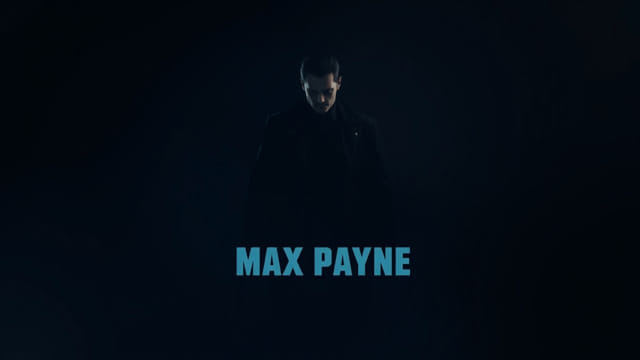
Max Payne, the iconic third-person shooter originally released in 2001, is still beloved by fans for its gritty noir storytelling, cinematic slow-motion gunplay, and atmospheric design. However, running Max Payne on modern systems with widescreen monitors presents some visual challenges. The game wasn’t built with 16:9 or 21:9 resolutions in mind, which can result in stretched visuals, misaligned HUD elements, and broken aspect ratios. To preserve the immersive experience while enjoying it on current hardware, applying a proper Max Payne widescreen fix becomes essential. This guide will explore the issues, benefits, and process of applying widescreen patches for Max Payne.
Understanding the Widescreen Issue in Max Payne
When Max Payne was developed, 4:3 aspect ratio monitors were the standard. The game’s user interface, cutscenes, and camera angles were all designed around that screen shape. When players run the game on widescreen resolutions today, several problems can arise:
- The image appears horizontally stretched
- Field of view (FOV) becomes distorted or too narrow
- Menus and HUD elements do not scale correctly
- Pre-rendered cutscenes may be cropped or letterboxed poorly
Without applying a proper widescreen fix, these visual issues can significantly impact gameplay quality. For a game that relies heavily on cinematic immersion, correcting these flaws is a high priority for fans and modders alike.
Benefits of Applying a Max Payne Widescreen Fix
Fixing the widescreen resolution in Max Payne is not just about making the game look better it’s about restoring the visual experience the developers intended, adapted for modern displays. Here are some core benefits of using a widescreen fix:
- Correct aspect ratio without distortion or stretching
- Accurate HUD positioning on widescreen monitors
- Enhanced field of view without breaking camera angles
- Improved compatibility with ultrawide resolutions
- A smoother, more immersive gameplay experience overall
These improvements make the game more enjoyable and closer to a modern standard, while retaining the original atmosphere that fans loved.
Widescreen Fix Methods for Max Payne
There are multiple methods to apply a widescreen fix to Max Payne. The best option often depends on the version of the game you’re running (CD, Steam, GOG), your system specs, and your comfort level with modding. Below are the most commonly used approaches to fix widescreen issues:
Hex Editing the Game Executable
One traditional method is to manually edit the Max Payne executable file using a hex editor. This involves locating and modifying specific hex values that control the screen resolution and aspect ratio. However, this method is risky and not beginner-friendly. If done incorrectly, it can corrupt the game file or make the game unplayable. It is only recommended for advanced users who are familiar with hex editing tools.
Using Community-Created Patches
The most popular and accessible method is using a fan-made widescreen patch. These patches usually come in the form of a simple archive containing modified files and instructions. The community around Max Payne has produced reliable fixes that allow users to play in 16:9, 16:10, or even ultrawide formats.
Adjusting Configuration Files
In some cases, resolution settings can be adjusted through configuration files within the game’s directory. This may include editing.ini or.cfg files to force the game to launch at a specific resolution. However, this alone often does not fix HUD scaling or cutscene formatting, so it’s best used in combination with other fixes.
Compatibility Wrappers or DLL Injection
Some fixes use DirectX wrappers or.dll injection to intercept rendering calls and correct screen scaling. These solutions may be part of a larger mod suite or a standalone tool that adjusts rendering on the fly. They can provide powerful enhancements but may trigger antivirus false positives or require specific versions of DirectX to function properly.
Step-by-Step Example of Applying a Widescreen Fix
While the exact steps vary depending on the fix you choose, here’s a general example of how a typical widescreen patch might be applied:
- Back up your Max Payne installation folder.
- Download a trusted widescreen fix archive from a modding community site.
- Extract the contents of the archive into the Max Payne game directory, replacing any files if prompted.
- Run the included configuration tool if available, and set your desired resolution and aspect ratio.
- Launch the game and test to ensure that visuals, menus, and gameplay elements scale properly.
Always read the README or installation instructions included with the patch. It’s important to follow the recommended settings and check for any compatibility notes specific to your version of the game.
Common Issues After Applying the Fix
Even with a proper widescreen fix, some users may still experience issues. Here are some common problems and how to solve them:
- Black bars or letterboxing: This may occur if the fix doesn’t support your exact resolution. Try switching to a more standard 16:9 setting like 1920×1080.
- Crash on launch: Ensure the game and patch are compatible. Try running the game in compatibility mode or as administrator.
- Audio desync in cutscenes: Pre-rendered videos may not scale correctly. You may need to disable scaling for FMVs or use a mod that replaces them.
- Anti-cheat warnings: Some widescreen fixes use DLL injection which can be flagged as suspicious. Whitelist the game folder in your antivirus settings.
Performance Considerations
Max Payne is not demanding by modern standards, but applying widescreen patches may introduce unexpected behavior on high-refresh-rate monitors or multi-GPU setups. It’s recommended to cap the frame rate to prevent physics issues, which were tied to frame timing in older games. V-Sync or external frame limiters like RTSS can be used for better control.
Also, some widescreen fixes allow for higher texture resolutions or advanced post-processing. While this enhances visuals, it may slightly increase the CPU or GPU load, especially when using 4K settings.
The Max Payne widescreen fix is a must-have adjustment for fans revisiting the game in the modern era. Whether you’re returning for nostalgia or playing it for the first time, a proper widescreen patch ensures you enjoy the cinematic action without compromise. By correcting the aspect ratio, adjusting HUD scaling, and restoring graphical fidelity, you can experience Max Payne the way it was meant to be only now, in full widescreen glory. Applying the fix may take a few minutes, but the improvement in immersion and visual quality is more than worth the effort.